Sometimes, you as the local agent need to bill the base directly. Maybe it was a delivery out of SIT after a conversion to a member's expense. Maybe it was a move that was cancelled after you performed a premove survey but before any packing took place. There are many scenarios when it could happen, but let's face it: it usually doesn't happen often enough for you and your team to always know how to accurately create a Local Purchase Order (LPO) on the first try. And not getting it right can cost you both time and money. One of the easiest ways to do this accurately and efficiently is to use the LPO creation tool that's offered on MoversPay.com with a Premier membership.
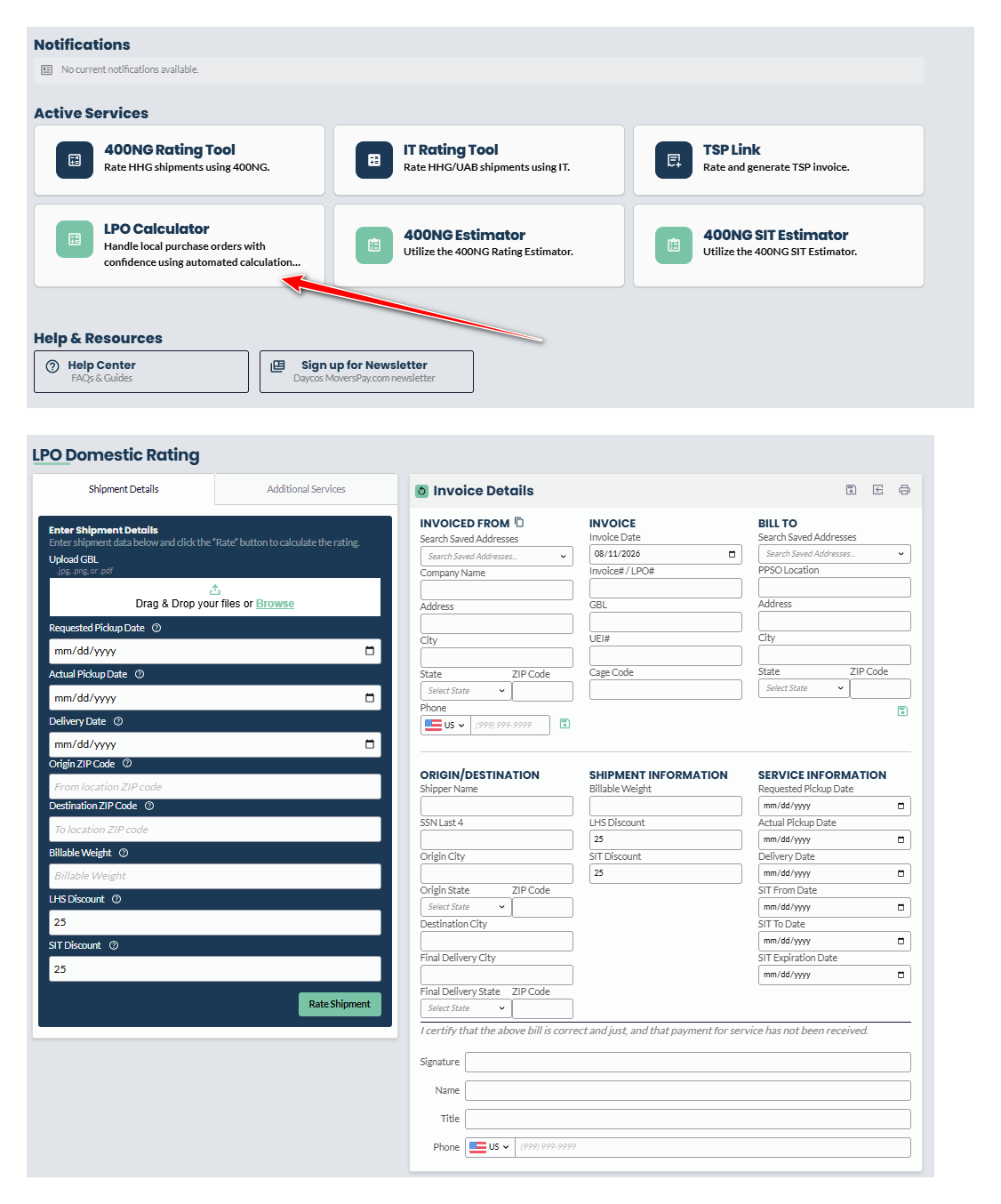
1. Vendor Information, Typically Listed in the Header
Vendor Business Name
Vendor Business Address
2. Bill To: GBLOC / Local Base Information
Be sure to include the JPPSO/PPSO name and mailing address
3. Key Identifying Data
GBL Number
Last 4 digits of the service member's social security number
Cage Code of vendor
Unique Entity ID (previously referred to as a DUNS number) of the vendor
Keep in mind, if you are not registered with SAM.gov to have a UEI / DUNS number and Cage Code, then even if your invoice is otherwise perfect, the base cannot pay you. This information is required to approve and route the money to your bank account.
4. Invoice Details
Invoice date
Invoice number (this is your internal number assigned to the invoice to assist with tracking)
5. Shipment Detail
Service Member's name
Information found in Blocks 18 and 19 of GBL (if applicable)
Date of Service Performed (Delivery, Premove Survey, etc.)
Shipment Weight (if applicable)
SIT Expired Date (if applicable)
6. Service Item & Description and the Associated Amount Billed
Be sure to list each service for which you are billing as a separate line item
SIT Discount (if applicable; the standard is 25% for any Delivery after SIT charges – the LPO builder available on MoversPay.com includes this default for your convenience)
LHS Discount (if applicable)
7. Signatory Information and Date
Printed Name and Signature
Title
Date of signature
Mailing address
Telephone number (of storage provider or TSP authorized to sign the purchase order)
To reiterate, a critical first step is to be sure that you are set up on SAM.gov so that the base can pay you. Without that, your LPO itself will not do you any good. But once you have those in place, all the information required is literally at your fingertips and it's just a matter of making sure to include the correct pieces accurately. Bookmark this blog post and the MoversPay.com site to have the guidance you need to create an LPO easily accessible the next time you need to bill the base directly.